One mood, one grew.
Pick the grew that looks like you and show it to your friends.
Free, no ads, on Android.
Psst: tap a grew to see it react.
A people of grews
Nine grews, nine moods. None of them is the good one or the bad one: they all have their days.
-
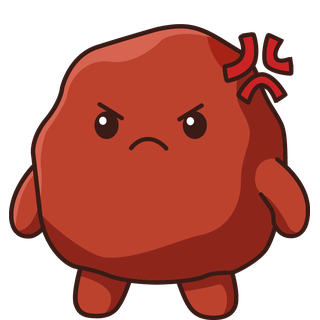
Anger
Fuming. Give it two minutes.
-

Joy
Bounces around for no reason. Especially for no reason.
-

Fear
Got a notification. Hasn't opened it yet.
-
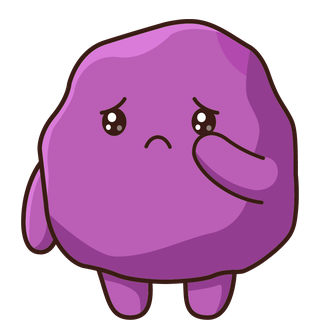
Sadness
Could really use a hug. Good news: those exist.
-
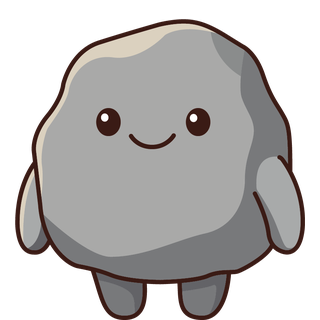
Neutral
Not good, not bad. Just here, and that's totally fine.
-

Confidence
Half smile, hand on hip. Totally got this.
-

Shame
Hiding behind its hands. We won't tell.
-
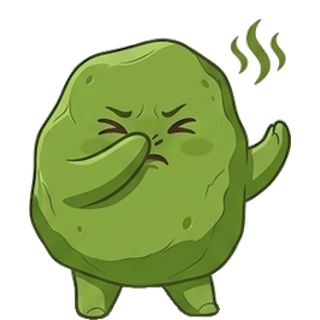
Disgust
No thanks. Seriously, no thanks.
-
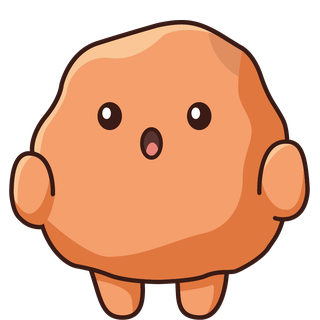
Surprise
Mouth in an O. Still not over it.


How it works
-
1Pick your grew
In the morning, at night, whenever things change: one tap on the one that looks like you. Add an intensity if you like.
-
2Choose who sees it
Just you, your groups, or the map too. Say what's behind it (sleep, work, love…): that part stays yours.
-
3Watch your mood go by
Your week in bubbles, your month as a wave, your year in pixels. Spot what does you good.
Your groups at a glance
Flatmates, school friends, your other half, family: create a group, share the code, and see how everyone's doing today.
-
React
A hug, a high five, a heart or some sunshine. Your first reaction of the day is on us.
-
Behind the scenes
Got more to say? Add some text, a photo or a voice note. You decide whether your groups get to see them.
-
A grew lasts 6 h
Your groups see it for 6 hours at most, or until your next grew. After that, it's just yours again.
You choose who sees it
With every grew, one question: “Who sees this grew?” Three answers, no catch.
“What's behind it?” stays private
Your tags and your “Other” words feed your stats. Nobody else sees them, ever.
An anonymous map
Dots grouped into areas of about 2 km, with no name and no account. An area where you'd be the only one from your group isn't shown.
Behind the scenes, closed by default
Your text, photo and voice note stay yours until you tick “Show behind the scenes too”.
Nothing for sale
No ads, no trackers, servers in France. You can export or erase everything from the app.
Dress up your grews
Every grew you post earns you seeds. Spend them in the shop: hats, glasses, necklaces, backgrounds, auras. Everything lands in your wardrobe, and your grews can even dance.
Seeds
Earn them by posting your grews, completing quests and keeping your streak going.
The shop
From hats to auras, plus a few rare pieces, and nothing you have to buy.
Dances
A little dance to celebrate a good day, on your screen and in your groups.


Your questions
Is it free?
Yes. Grew is free to download and use, with no ads. You earn seeds by playing. Seed packs may be offered one day, but you'll never need them.
Who sees my mood?
Just you, unless you choose to show it. With every grew, you pick: Just me, My groups, or My groups + the map (anonymous). Your tags and your “Other” words stay private, always.
How old do I need to be?
15 at least. That's the age of digital consent in France, where Grew is published: from that age you can agree on your own to the use of your data online. If you're under 18, ask a parent before buying anything.
What about iPhone?
Not yet. For now, Grew is Android only.
How do I delete my account?
In the app: Settings › Delete my account. It's instant and everything is erased. Without the app, follow the Delete my account page.
One mood, one grew.
Get it on Google Play